VW RNS 510 Radio Code – Complete Guide to Unlocking Your Volkswagen Navigation System
Is your Volkswagen RNS 510 navigation system displaying SAFE, requesting a PIN code, or refusing to start after being installed in another vehicle?
The Volkswagen RNS 510 is a factory-fitted touchscreen radio and navigation system designed for several Volkswagen models. It combines radio, navigation, multimedia playback and vehicle integration in one unit.
Like other Volkswagen audio systems, the RNS 510 includes electronic anti-theft protection. Under certain circumstances, the system may require a security code before it can operate normally.
Whether you have a VW Golf, Passat, Tiguan or another compatible Volkswagen model, understanding how the RNS 510 security system works can help you identify the problem and find the correct unlocking solution.
1. What Is the Volkswagen RNS 510?
The RNS 510 is an advanced Volkswagen factory navigation and multimedia system. It was commonly fitted to various Volkswagen models during the Golf 5 and Golf 6 generations and other vehicles from the same period.
Compared with basic Volkswagen radios, the RNS 510 offers a larger touchscreen interface and integrated navigation functionality.
Main Features of the RNS 510
- Touchscreen display: A large colour display for navigation, radio and multimedia functions.
- Satellite navigation: Integrated navigation with map information.
- Radio functionality: FM and other supported radio functions depending on the version.
- CD and DVD playback: Multimedia playback capabilities.
- Hard drive: Internal storage for supported navigation and multimedia data.
- Vehicle integration: Communication with other vehicle electronic systems.
- Electronic anti-theft protection: Security functionality designed to prevent unauthorized operation.
2. Which Volkswagen Models Use the RNS 510?
The RNS 510 was available in several Volkswagen vehicles, although availability depended on the production year, market and factory equipment specification.
Some commonly associated Volkswagen models include:
- Volkswagen Golf 5: Selected models equipped with the factory navigation system.
- Volkswagen Golf 6: Available with the RNS 510 navigation unit in certain configurations.
- Volkswagen Passat B6: Factory navigation equipment on selected versions.
- Volkswagen Passat B7: Available with compatible RNS 510 configurations.
- Volkswagen Tiguan: Selected first-generation models.
- Volkswagen Touran: Certain factory-equipped versions.
- Volkswagen Scirocco: Selected models with compatible navigation equipment.
- Volkswagen Transporter T5: Certain configurations with factory navigation.
3. Why Does Your VW RNS 510 Display SAFE?
The SAFE message is associated with the electronic anti-theft protection system of the RNS 510.
Unlike some older Volkswagen radios, the RNS 510 uses a convenience coding system that communicates with the vehicle's instrument cluster and electronic systems.
Under normal circumstances, when the unit has already been adapted to the vehicle, disconnecting and reconnecting the battery in the same vehicle should not normally require manual code entry.
However, the security code may be required in situations such as:
- Installing a used RNS 510: A navigation unit removed from another vehicle may require security authorization.
- Replacing the original navigation unit: A replacement unit may not yet be adapted to the vehicle.
- Electronic security lock: The system may request the correct anti-theft code after a security-related event.
- Previous incorrect attempts: Entering an incorrect code can temporarily lock the system.
- Control module or adaptation issues: Certain vehicle or module-related problems may prevent normal authorization.
4. How to Find Your VW RNS 510 Serial Number
Identifying the exact RNS 510 unit is an important step when requesting security code assistance.
Each navigation unit has its own identification information. The radio serial number can help distinguish the unit from other RNS 510 versions and is particularly important when dealing with replacement or second-hand equipment.
What Does an RNS 510 Serial Number Look Like?
Many Volkswagen RNS 510 units have serial numbers beginning with VWZ. A representative example is shown below:
VWZ6Z7H1234567
This is a fictional example for illustration purposes. Actual serial number formats may vary.
Where Is the RNS 510 Serial Number Located?
The serial number is usually printed on an identification label attached to the navigation unit housing. Depending on the version, the label may be located on the top or side of the unit.
There are several ways to obtain the identification information:
- Physical identification label: Carefully remove the navigation unit and inspect its manufacturer label.
- Diagnostic equipment: Compatible diagnostic equipment may read the navigation system identification information.
- Vehicle diagnostic identification: The serial number may be available through the navigation control module identification data.
- Part number identification: Record the Volkswagen part number to help establish the exact hardware version.
5. How to Remove the VW RNS 510 to Check the Serial Number
If you cannot access the serial number through diagnostic equipment, you may need to remove the RNS 510 from the dashboard.
The removal procedure depends on the vehicle model and dashboard configuration.
General Removal Procedure
- Switch off the ignition and electrical consumers.
- Remove the ignition key and follow the vehicle manufacturer's safety instructions.
- Carefully remove the surrounding dashboard trim using suitable plastic trim tools.
- Locate the screws securing the RNS 510 unit.
- Remove the mounting screws using the appropriate tools.
- Carefully pull the navigation unit forward without pulling or damaging the wiring.
- Locate the identification label on the housing.
- Photograph the serial number and part number.
6. How Does the RNS 510 Anti-Theft Code System Work?
The RNS 510 uses an electronic convenience anti-theft system that operates together with the vehicle's instrument cluster.
This is an important difference between the RNS 510 and some older Volkswagen radio systems.
Once the system has been correctly activated and adapted to a vehicle, the anti-theft information is normally stored in the vehicle's electronic system. As a result, disconnecting the battery and reconnecting the same unit to the same vehicle should not normally require the security code to be entered manually.
If the navigation system is moved to another vehicle, however, the electronic anti-theft protection may prevent normal operation until the unit is properly authorized.
Can the RNS 510 Security Code Be Retrieved Using Diagnostic Equipment?
Yes. Volkswagen factory diagnostic procedures provide an online radio code inquiry function for supported RNS 510 systems.
Authorized diagnostic access is generally required to obtain the anti-theft code through the official Volkswagen system.
The diagnostic procedure can identify important information, including:
- Vehicle identification number (VIN).
- RNS 510 serial number.
- Navigation system identification information.
- Anti-theft code inquiry information.
7. How to Enter the VW RNS 510 Security Code
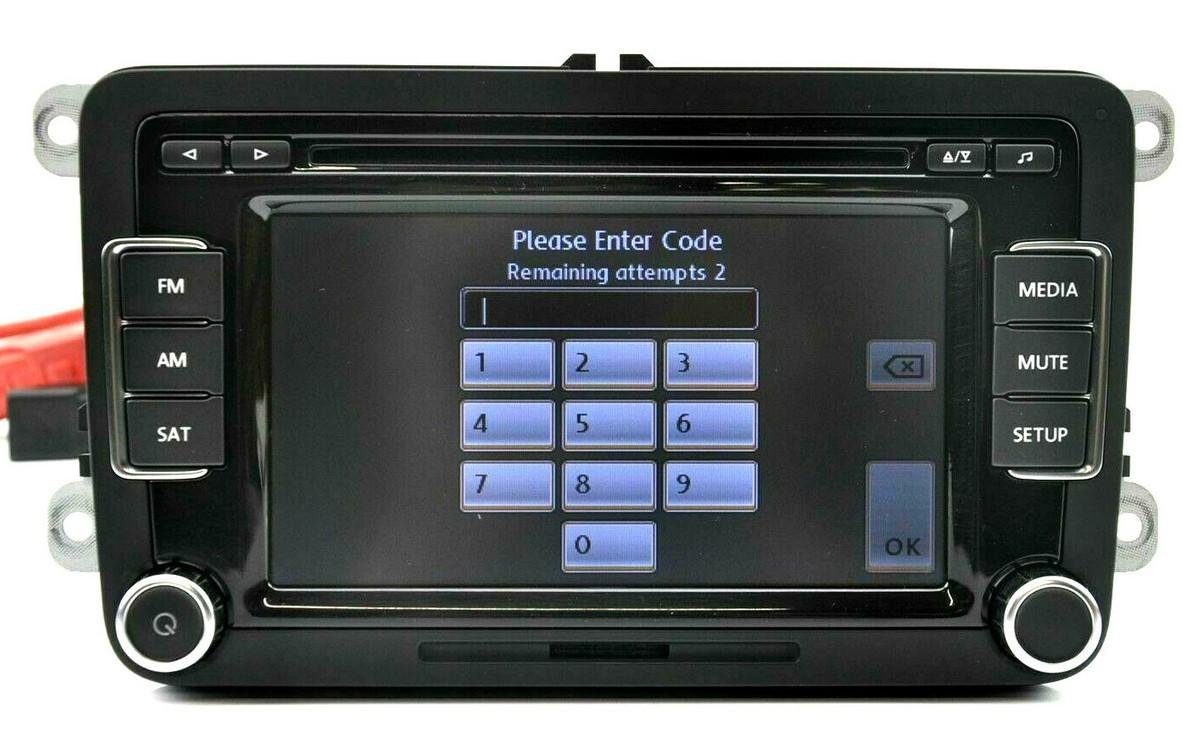
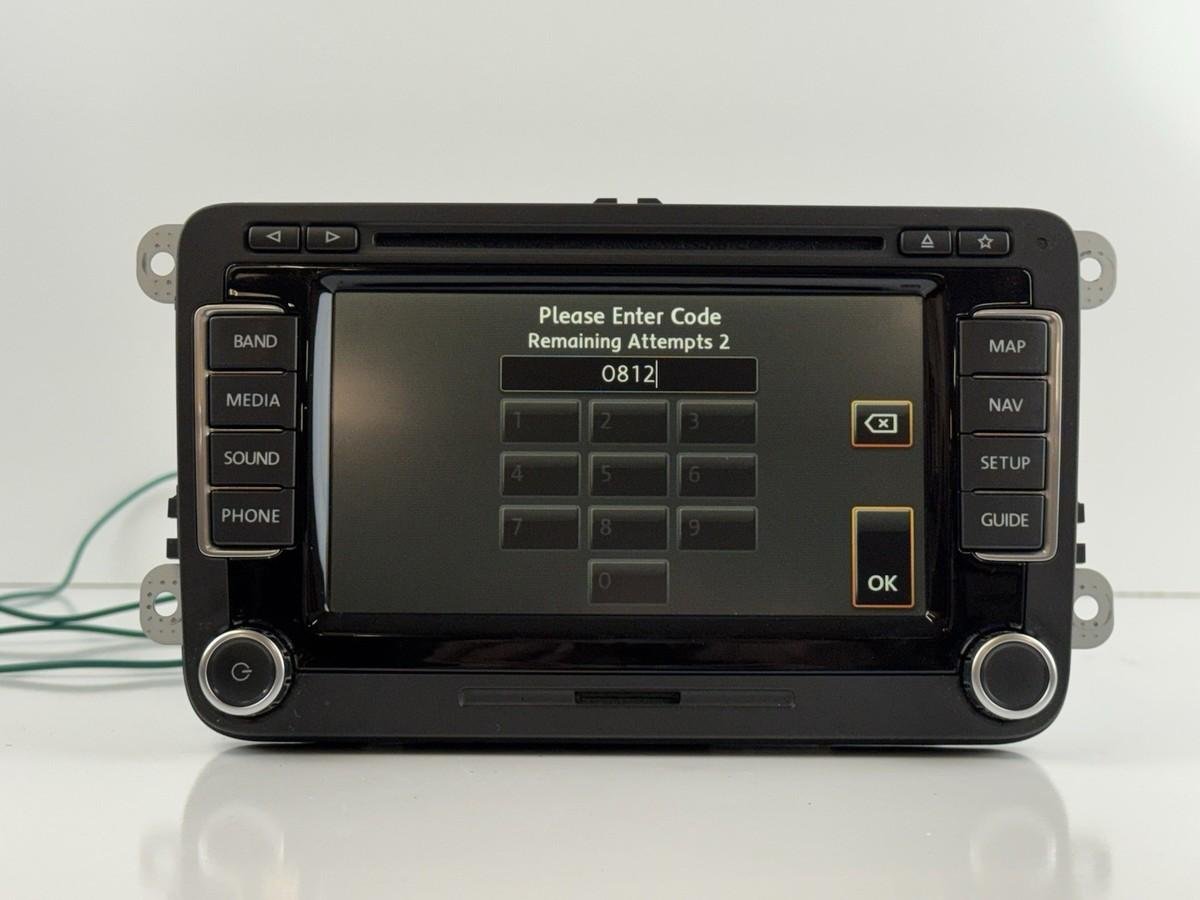
When the RNS 510 displays a security code request, the correct four-digit PIN must be entered to release the electronic anti-theft protection.
The RNS 510 uses a touchscreen interface for entering the security code.
General PIN Entry Instructions
- Switch on the vehicle ignition.
- Turn on the RNS 510 navigation system.
- Wait for the security code entry screen.
- Enter the correct four-digit security code using the touchscreen numeric keypad.
- Check the displayed digits carefully.
- Press the OK button to confirm the entry.
If the correct security code is accepted, the electronic anti-theft lock should be released and the navigation system should start normally.
8. What Happens If You Enter the Wrong RNS 510 Code?
The RNS 510 includes protection against repeated incorrect security code attempts.
According to Volkswagen service information, the system allows an additional attempt after an incorrect entry. If the security code is entered incorrectly twice, the navigation unit can enter a temporary lockout period of approximately one hour.
During this period, the unit and ignition must remain switched on. The remaining waiting time may be displayed on the screen.
9. Can You Unlock a Used VW RNS 510 From Another Vehicle?
Yes, in many cases a used RNS 510 can be returned to operation in another compatible Volkswagen vehicle, provided that the correct anti-theft authorization is available and the unit is suitable for that vehicle.
However, obtaining the security code is not the only consideration when installing a used navigation unit.
You should also check:
- The exact RNS 510 part number.
- Hardware and software version.
- Vehicle compatibility.
- Navigation system configuration.
- Vehicle communication and adaptation requirements.
- Electronic anti-theft authorization.
10. RNS 510 Code Not Working – Common Problems and Solutions
If you have received a security code but the RNS 510 still refuses to unlock, several factors may be responsible.
Incorrect Serial Number
The supplied security information must correspond to the actual navigation unit installed in the vehicle. Check the serial number on the physical label rather than relying on an old record from a previously installed radio.
Incorrect Security Code
Check the supplied four-digit code carefully. Do not attempt multiple random combinations, as the unit may enter a temporary lockout state.
Previously Modified Radio Memory
If the internal memory of the navigation unit has previously been modified or repaired, the original factory security information may no longer match the current stored data.
In certain cases, further electronic diagnosis or memory-level examination by a specialist may be necessary.
Communication or Vehicle Authorization Problems
The RNS 510 communicates with other vehicle electronic systems. If the navigation unit cannot communicate correctly with the instrument cluster or relevant vehicle modules, the authorization process may fail.
11. RNS 510 vs RNS 315 – What Is the Difference?
Volkswagen produced several navigation systems that look similar but have different hardware and security procedures.
The RNS 510 and RNS 315 are two different navigation systems. Their identification details, interfaces and recovery procedures should not be confused.
| Feature | RNS 510 | RNS 315 |
|---|---|---|
| Display | Large colour touchscreen | Smaller touchscreen |
| Navigation | Integrated navigation | Integrated navigation |
| Multimedia | CD/DVD and supported media | CD and supported media |
| Security | Electronic anti-theft protection | Electronic anti-theft protection |
| Identification | Unit-specific serial and part number | Unit-specific serial and part number |
Although both systems belong to the Volkswagen navigation family, the code recovery and diagnostic procedures are not necessarily interchangeable.
12. Get Your VW RNS 510 Radio Code Online
If your RNS 510 is requesting an anti-theft code and you do not have the original security information, an online recovery service may help with supported units.
VWCODES.CO.UK provides assistance with Volkswagen radio code requests and identification of supported radio systems.
How to Request Your RNS 510 Code
- Visit our dedicated RNS 510 radio code page.
- Check the service requirements for your navigation unit.
- Provide the requested serial number and identification information.
- Submit your order using the available payment options.
- Wait for your request to be processed.
Processing time depends on the specific radio unit and the availability of the required identification information.
13. Why Choose VWCODES.CO.UK?
Finding the correct Volkswagen navigation security code can be difficult, especially when purchasing a second-hand RNS 510 or replacing a factory navigation system.
Our goal is to provide a straightforward online experience for customers who need assistance with supported Volkswagen radio and navigation codes.
- Dedicated Volkswagen services: Assistance with supported Volkswagen radio and navigation systems.
- Online ordering: Submit your request through our website.
- Simple identification process: Provide the requested unit information.
- Customer assistance: Contact our support team if you have questions about your request.
- Clear service information: Review the requirements before placing an order.
If a supplied code does not work, contact our support team with a clear photograph of the radio identification label. We can review the information in accordance with our service policy.
14. Frequently Asked Questions About VW RNS 510 Radio Codes
Does the VW RNS 510 have a four-digit security code?
Yes. The RNS 510 uses a four-digit anti-theft security code. The code is used when the electronic security system requires authorization.
Will my RNS 510 ask for a code after changing the battery?
Normally, if the RNS 510 has already been activated and adapted to the same vehicle, disconnecting and reconnecting the battery should not require manual code entry. A different situation may occur if the unit has been replaced or installed in another vehicle.
Where can I find the RNS 510 serial number?
The serial number is generally printed on an identification label on the top or side of the navigation unit housing. Compatible diagnostic equipment may also retrieve identification information.
Can I retrieve the RNS 510 code using the VIN?
The VIN is part of the official Volkswagen online anti-theft code inquiry process. However, the radio's own serial number is also important for identifying the exact unit. A VIN alone should not be assumed to be sufficient for every recovery service.
How many incorrect code attempts are allowed?
Volkswagen service information describes two attempts before the RNS 510 enters an approximately one-hour lockout period. The unit and ignition must remain switched on during the waiting period.
Can I use an RNS 510 from a different Volkswagen Golf?
Potentially, yes. However, you must check the part number, vehicle compatibility, configuration and electronic anti-theft authorization before installation.
Is RNS 510 the same as RCD 510?
No. The RNS 510 is a navigation system, while the RCD 510 is a different Volkswagen radio and multimedia unit. Their features and security procedures are different.
Can I recover the code if the RNS 510 memory has been modified?
Possibly, but modified memory can prevent the original factory security code from working. Specialist electronic diagnosis may be required to determine the correct solution.
What should I do if my RNS 510 says SYSTEM LOCKED?
Do not repeatedly enter codes. Follow the waiting instructions displayed by the unit. If the system remains locked, have the navigation unit and its security status checked by a qualified specialist.
15. Final Thoughts – Recovering Your Volkswagen RNS 510 Code
The Volkswagen RNS 510 is more than a standard car radio. It is an integrated navigation and multimedia system that communicates with other electronic components in the vehicle.
Understanding its electronic anti-theft protection is important when replacing, repairing or installing a used navigation unit.
Before requesting a security code, make sure that you have identified the correct RNS 510 unit, checked its serial number and confirmed that the problem is related to anti-theft authorization rather than a communication or hardware fault.
With the correct identification information and recovery procedure, many supported RNS 510 security issues can be resolved.
Visit our dedicated Volkswagen RNS 510 radio code service page to check compatibility and submit your request.
Get Your VW RNS 510 Radio Code
VWCODES.CO.UK – Volkswagen Radio and Navigation Code Assistance.
Have your serial number ready?
Retrieve your genuine factory unlock PIN in less than 15 minutes. 100% money-back guarantee if the code doesn't work.